


Online title application: Quick & Easy 2025
Why Online Vehicle Title Applications Are Revolutionizing Car Ownership
Online title application is the digital process that allows vehicle owners to apply for, transfer, or replace their vehicle titles through their state’s Department of Motor Vehicles (DMV) website without visiting a physical office. This modern approach has transformed how Americans handle one of the most important documents proving legal ownership of their vehicles.
Quick Answer for Online Title Applications:
- Access: Available 24/7 through official state DMV websites
- Requirements: VIN, proof of ownership, driver’s license, and payment
- Processing Time: 5-30 business days depending on your state
- Cost Savings: Up to $1-5 less than in-person applications
- Eligible Vehicles: Most passenger cars, motorcycles, and commercial vehicles
The traditional process of standing in long DMV lines, taking time off work, and dealing with paper forms is becoming a thing of the past. States like Virginia, New York, and California now offer comprehensive online portals where you can complete your entire title application from your kitchen table. Vehicle owners have 45 days to apply for title and registration of an acquired vehicle in most states, making the convenience of online applications even more valuable for meeting these deadlines.
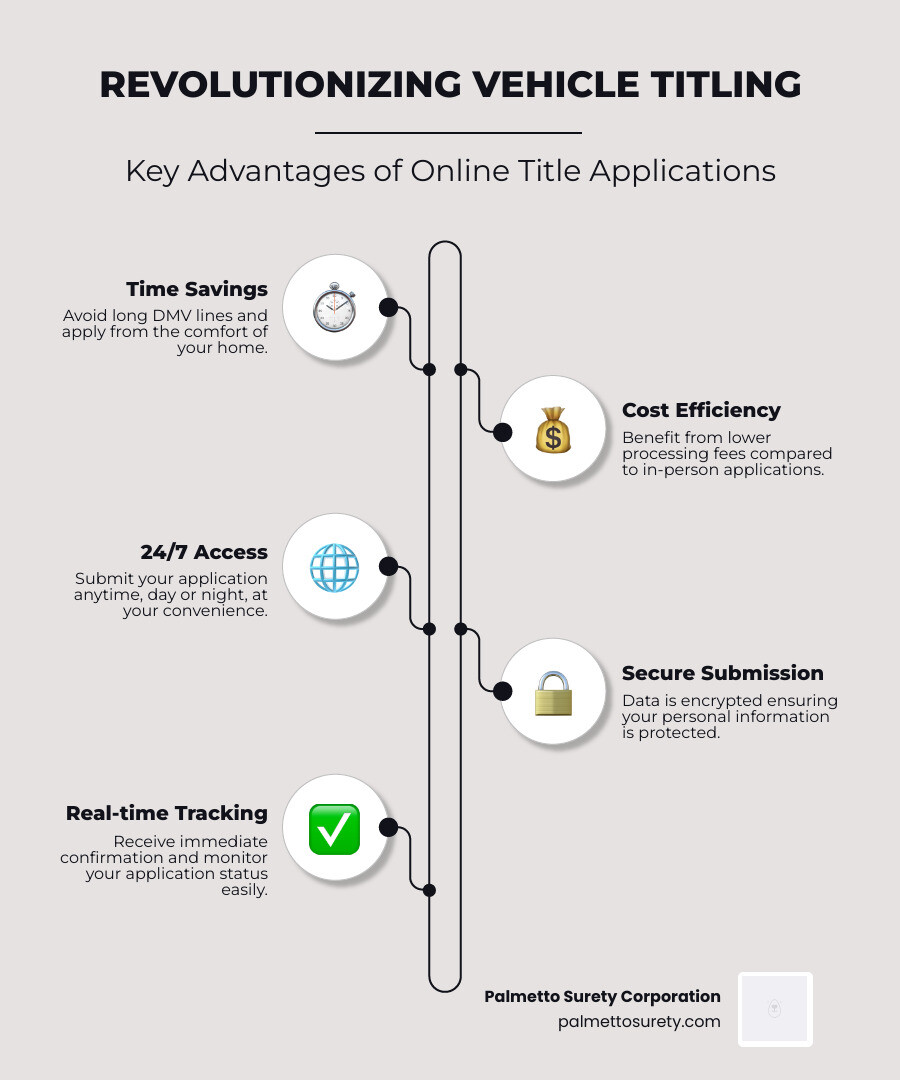
The digital revolution in vehicle titling offers several key advantages:
- Time savings – No more DMV office visits or appointment scheduling
- Cost reduction – Lower processing fees in many states
- Immediate confirmation – Real-time application status tracking
- Secure processing – Encrypted data transmission and digital signatures
- 24/7 availability – Submit applications whenever it’s convenient
I’m Haiko de Poel Jr., and through my work at Palmetto Surety Corporation, I’ve helped thousands of vehicle owners steer complex titling situations, including when online title application processes require additional documentation like surety bonds. My experience in digital change and business consulting has given me deep insights into how technology is streamlining traditional government processes.
The Step-by-Step Guide to Your Online Title Application
Picture this: you’ve just bought your dream car, and now you need to handle the paperwork to make it officially yours. The good news? The days of spending your entire Saturday at the DMV are behind us. An online title application lets you complete this crucial step from your couch, coffee in hand, while still in your pajamas if you want.
Think of an online title application as the digital version of those paper forms you used to fill out at government offices. It serves the exact same purpose – recording or transferring legal ownership of your vehicle – but without the hassle of office hours, long lines, or hunting for parking. Whether you’ve purchased a car from a dealer, bought one from your neighbor, or inherited a vehicle from family, the online process makes everything smoother and faster.

The beauty of going digital extends beyond convenience. You’ll often save money too – Virginia residents, for example, pay $1 less when they apply for a replacement title online compared to visiting an office. Plus, you can submit your application at 2 AM if that’s when inspiration strikes.
Step 1: Locate Your State’s Official DMV Portal
Your journey begins with finding the right digital doorway, and this step is more important than you might think. You need to locate your state’s official Department of Motor Vehicles (DMV) or equivalent agency website – not just any site that claims to help with titles.
Here’s where you need to be a bit of a detective. Look for that .gov in the web address – it’s your guarantee that you’re on a legitimate government site. Those flashy third-party sites that pop up first in search results? They’re not your friends. At best, they’ll charge you extra fees for something you can do yourself. At worst, they could put your personal information at risk.
Once you find the official site, you’ll likely need to create an account. Don’t worry – this usually just means picking a username and password, then possibly verifying your identity through a text message or email. It’s like setting up any other online account, except this one helps protect your personal information throughout the application process.
If you’re in Washington State, you can start by finding your local vehicle licensing office at https://fortress.wa.gov/dol/dolprod/vehoffices/, which often connects you to their online services.
Step 2: Gather Documents for Your Online Title Application
Before diving into the actual application, take a few minutes to gather your documents. Think of this like preparing for a recipe – having all your ingredients ready makes the cooking process much smoother.
The star of the show is your Vehicle Identification Number (VIN) – that unique 17-character code that’s like your car’s fingerprint. You’ll find it on your dashboard (look through the windshield on the driver’s side), on the driver’s door jamb, or on previous registration documents.
You’ll also need your proof of ownership, which is typically the original title signed over to you by the previous owner. If you bought a brand-new car, this might be a Manufacturer’s Statement of Origin instead. Your bill of sale is equally important, showing the purchase details, date, and identifying both you and the seller.
Don’t forget the odometer reading – the current mileage at the time of sale. Federal law requires this information, so it’s not optional. Your driver’s license or state ID proves who you are, while proof of insurance shows you’re covered (most states require this before processing titles).
If you financed your vehicle, have your lienholder information ready. This includes your lender’s name and address, since they’ll be listed on the title until you pay off the loan.

Step 3: Complete and Submit the Form
Now comes the main event – filling out your online title application form. Take your time here, because accuracy is everything. A small mistake now could mean delays or even having to start over.
The form will walk you through different sections, starting with vehicle details. You’ll enter the VIN, make, model, year, and odometer reading. Double-check these numbers – they’re the foundation of your application. A single wrong digit in the VIN can cause major headaches later.
Next comes owner information – your full legal name (exactly as it appears on your driver’s license), current address, date of birth, and driver’s license number. If you’re sharing ownership with someone else, like a spouse, you’ll enter their information too. Make absolutely sure your mailing address is correct, since this is where your new title will be sent.
If you have a car loan, the lienholder information section is where you’ll input your bank or credit union’s details. Most online systems have built-in checks that catch common errors as you type – a nice advantage over paper forms.
Before you hit submit, you’ll usually get a chance to review everything. Use it! Read through each section carefully, maybe even ask someone else to take a look. Once you’re confident everything is perfect, take a deep breath and click that submit button.

Step 4: Pay Fees and Track Your Status
The final step in your online title application is paying the required fees. These typically include the title fee itself, any applicable sales tax (if you haven’t already paid it to a dealer), and possibly registration fees if you’re handling both title and registration together.
Most states make payment easy by accepting credit cards (Visa, Mastercard, American Express, Find), debit cards with major card logos, and electronic checks that link directly to your bank account. The payment process is secure and straightforward – just like shopping online.
After your payment goes through, you’ll receive a confirmation receipt via email with a transaction or application number. This number is your golden ticket for tracking your application’s progress. Keep it somewhere safe!
Most state portals offer online status checkers where you can enter your confirmation number to see exactly where your application stands. Is it pending? Approved? Do they need more information? You’ll know without making phone calls or wondering what’s happening behind the scenes.
Alabama residents can check their application status at http://alts.mvtrip.alabama.gov/Application/ApplicationStatus/Prequalifier. This transparency is one of the best parts of the online system – you stay informed every step of the way.
What If You Have a Lost, Damaged, or Missing Title?
Let’s face it – life has a way of throwing curveballs when you least expect them. Maybe your dog decided your vehicle title made excellent chew toy material, or perhaps it vanished during your last move (along with that one sock from every pair). Sometimes titles get stolen, or they’re so water-damaged from that basement flood that they look more like abstract art than legal documents.
The good news? You’re not stuck without options. The same digital revolution that brought us online title application processes has also made replacing lost, damaged, or missing titles much simpler than the old days of endless DMV visits.

Applying for a Duplicate Title Online
When your original vehicle title is lost, stolen, or mutilated (that’s the official term for “damaged beyond recognition”), most states now offer online replacement services. It’s become one of the most common transactions that state DMVs handle digitally.
The process works similarly to a regular online title application. You’ll need to provide your vehicle identification number, personal details, and confirm that your title is genuinely missing or damaged. Most states even offer a small cost savings for going digital – Virginia gives you a dollar off for handling it online rather than in person.
Here’s what makes you eligible for online title replacement:
You must be listed as the owner or co-owner on the vehicle’s official record. You cannot be trying to change any information during the replacement process – if you need to update your name or address, that’s typically a separate step that must happen first. In fact, Virginia requires you to update your address information at least 48 hours before ordering a replacement title.
New York’s DMV makes the process particularly straightforward. You can replace your title online via the NYS DMV with just a few clicks. The system walks you through each step, and your new title gets mailed to your address on file.
If you need to update your information before requesting a replacement, you can learn how to change your information on DMV documents through their online portal as well.
When a Certificate of Title Surety Bond is Required
Sometimes the situation gets a bit more complicated. What happens when you bought a vehicle but the seller never actually gave you a proper title? Or maybe the title you received has serious problems that make proving legal ownership nearly impossible?
This is where a Certificate of Title Surety Bond – often called a “bonded title” – becomes your lifeline.
Think of a surety bond as a financial safety net. It’s a three-way promise between you, the state, and a surety company (like us at Palmetto Surety Corporation). Essentially, it guarantees that if someone else shows up later with a legitimate claim to your vehicle, they’ll be financially protected. The bond acts as insurance against ownership disputes or undisclosed liens.
States like Texas and California frequently require these bonds when you can’t provide standard proof of ownership. In Texas, for example, the bond must be worth one and a half times your vehicle’s value. It’s the state’s way of saying, “Okay, we’ll give you a title, but we want some financial backing just in case.”
The beautiful thing about bonded titles is that they’re typically temporary solutions. After a waiting period (usually three years), if nobody comes forward with competing ownership claims, your bonded title often converts to a regular, clean title.
At Palmetto Surety Corporation, we’ve been helping vehicle owners steer these tricky situations for over 20 years. We understand that dealing with title issues can be incredibly stressful – you just want to legally drive your car without worrying about paperwork problems. That’s why we’ve streamlined our process to approve most bond applications within hours, not days or weeks.
If you’re curious about how surety bonds work in general, you can learn more about what a surety bond is on our website. For specific vehicle title situations, our surety bond services can help you get back on the road legally and quickly.
Online vs. In-Person: Which Application Method Is Right for You?
While the convenience of an online title application is undeniable, it’s worth considering how it stacks up against traditional in-person or mail-in methods. Each approach has its merits, and the best choice often depends on your specific circumstances, comfort with technology, and the complexity of your titling needs.
The digital route offers 24/7 accessibility from any device with internet access, eliminating those dreaded DMV waiting rooms entirely. You can submit your application at midnight in your pajamas if you want – no judgment here! Processing typically happens within 5 business days, and you’ll often save a few dollars on fees. Plus, the built-in validation checks catch common errors before you submit, reducing the chance of delays.
Traditional in-person visits, on the other hand, provide face-to-face support when you’re dealing with complex situations. If your paperwork has issues or you need to make changes during the process, a DMV representative can walk you through solutions immediately. Some people simply feel more confident handling important documents in person, and that peace of mind is valuable.
Mail applications fall somewhere in between – you can complete them at home, but processing times stretch to 15-30 calendar days, and there’s always that nagging worry about documents getting lost in transit. If you make an error, you’ll need to start the whole process over again.
Here’s how the methods compare across key factors:
| Factor | Online Application | In-Person/Mail Application |
|---|---|---|
| Convenience | Access available 24/7 from any device with internet access. No waiting in physical lines. | Requires scheduling appointments, taking time off work, or dealing with postal delays. Limited to business hours. |
| Speed | Faster than most methods, typically processed within 5 business days. | In-person: Same day for simple transactions, but requires travel time. Mail: 15-30 calendar days plus mailing time. |
| Required Documents | Digital uploads or manual entry of document information. Some states accept photos of documents. | Original or certified copies required. Risk of documents being lost in mail. |
| Support | Online help resources, chat support, and phone assistance during business hours. | Face-to-face help for complex situations. Immediate problem-solving with staff guidance. |
| Cost | Often $1-5 less expensive than other methods. No travel costs or time off work needed. | Standard fees plus potential travel costs, parking fees, and lost wages from time off work. |
The digital process uses encrypted data transmission and secure payment systems, making it just as safe as traditional methods. Most state portals require multi-factor authentication, adding an extra layer of security that paper applications can’t match.
Troubleshooting Your Online Title Application
Sometimes even the smoothest online title application process hits a bump. Don’t panic – most issues have straightforward solutions.
If your application gets denied, it’s usually due to missing information or documentation problems rather than anything serious. Common culprits include an incorrect VIN (those 17 characters are easy to mix up), mismatched names between your ID and the title, or outdated address information.
Name changes from marriage, divorce, or legal proceedings require additional documentation before you can process a title transfer. You’ll typically need to provide a marriage certificate, divorce decree, or court order showing the name change. Some states require you to update your driver’s license first, then wait 24-48 hours before applying for the title.
Address changes can also complicate the process. If you’ve moved recently, you may need to update your address with the DMV before applying for a title. You can learn how to change your information on DMV documents and records by visiting https://dmv.ny.gov/address-change/how-change-information-dmv-documents.
When the system requests more information, respond quickly with the requested documents. Most states give you 30 days to provide additional documentation before your application expires. Keep your confirmation number handy – you’ll need it to check your application status and upload additional documents.
Every state has slightly different requirements, so what works in Virginia might not apply in Texas. When in doubt, contact your state’s DMV directly or consult their online help resources. The goal is getting you legal ownership of your vehicle as smoothly as possible, and sometimes that means taking a slightly longer path to get there.


